# Wie füge ich XML (URL des neuen Exports) zu Zboží.cz hinzu
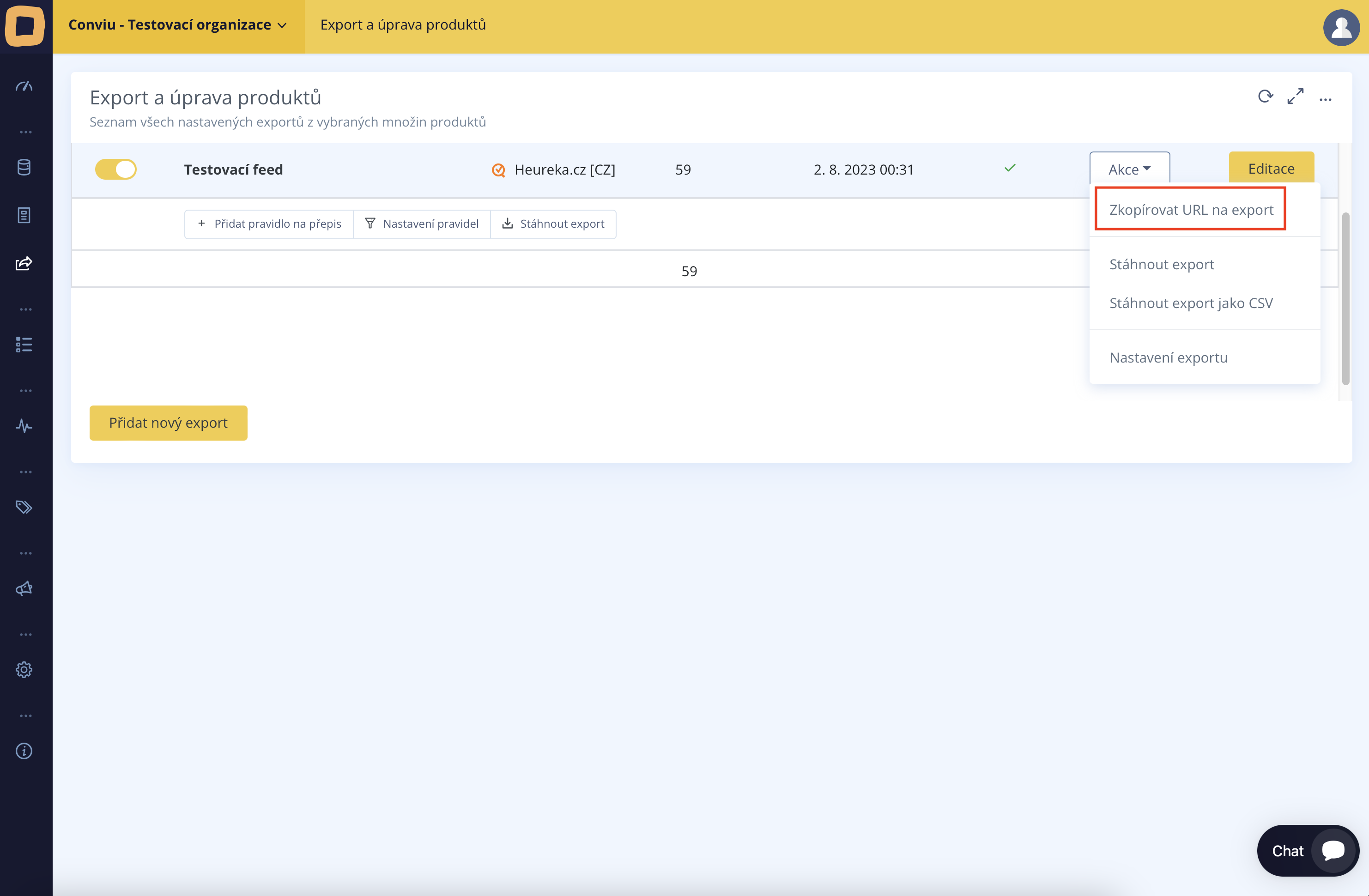
Im Abschnitt "Export und Bearbeitung von Produkten" gehen Sie zum gewünschten Export. Durch Klicken auf die Schaltfläche "Aktionen" und Auswahl der Option "Export-URL kopieren" erhalten Sie die URL-Adresse des neuen Exports.
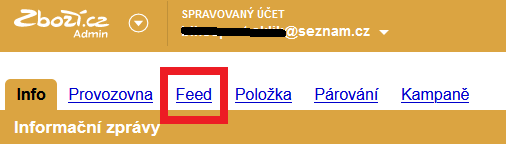
Melden Sie sich im Zboží.cz-Verwaltungsbereich unter [https://admin.zbozi.cz](https://admin.zbozi.cz/) an
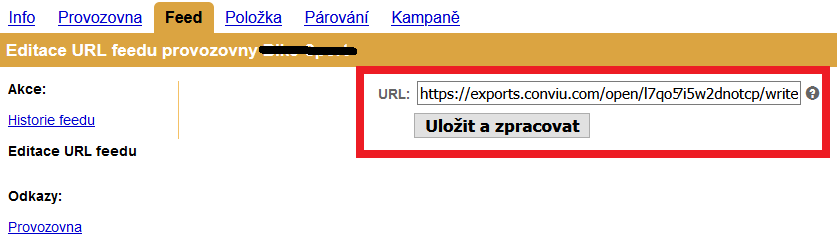
Gehen Sie zur Bearbeitung der Feed-URL auf Zboží.cz
Danach müssen Sie die URL von Conviu ergänzen und die Bestätigung durch Klicken auf die Schaltfläche „Speichern und verarbeiten“ vornehmen.
---
# Agent Instructions: Querying This Documentation
If you need additional information that is not directly available in this page, you can query the documentation dynamically by asking a question.
Perform an HTTP GET request on the current page URL with the `ask` query parameter:
```
GET https://hilfe.conviu.de/modul-uprava-dat-xml-a-csv/datenausfuhr/wie-fuge-ich-xml-url-des-neuen-exports-zu-zbozi.cz-hinzu.md?ask=
```
The question should be specific, self-contained, and written in natural language.
The response will contain a direct answer to the question and relevant excerpts and sources from the documentation.
Use this mechanism when the answer is not explicitly present in the current page, you need clarification or additional context, or you want to retrieve related documentation sections.